Borderforge
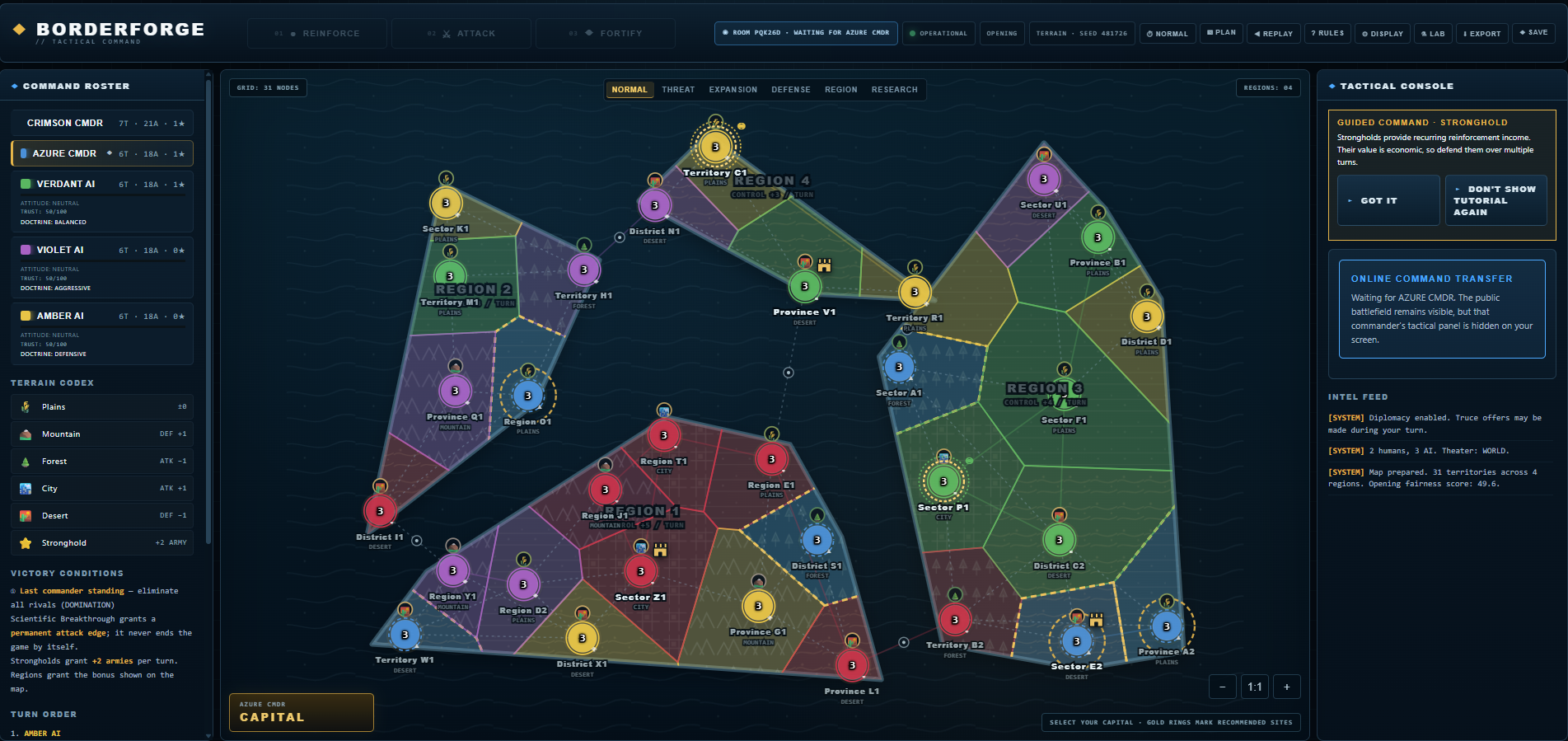
BORDERFORGE // TACTICAL COMMAND is an independent turn-based browser strategy game of territorial conquest, terrain, diplomacy, research, specialist units, cards, strategic events, and AI opponents.
Play solo against AI, share one device in hot-seat mode, or host a private online match for your friends.
Play Online With Friends
- 2-4 human commanders can play in one online room.
- Games support up to 5 total commanders, so AI commanders can fill unused seats.
- The host creates a short room code and sends it to the other players.
- Different room codes are separate matches, so many groups can play at the same time.
How to Host
- Launch BORDERFORGE on this page.
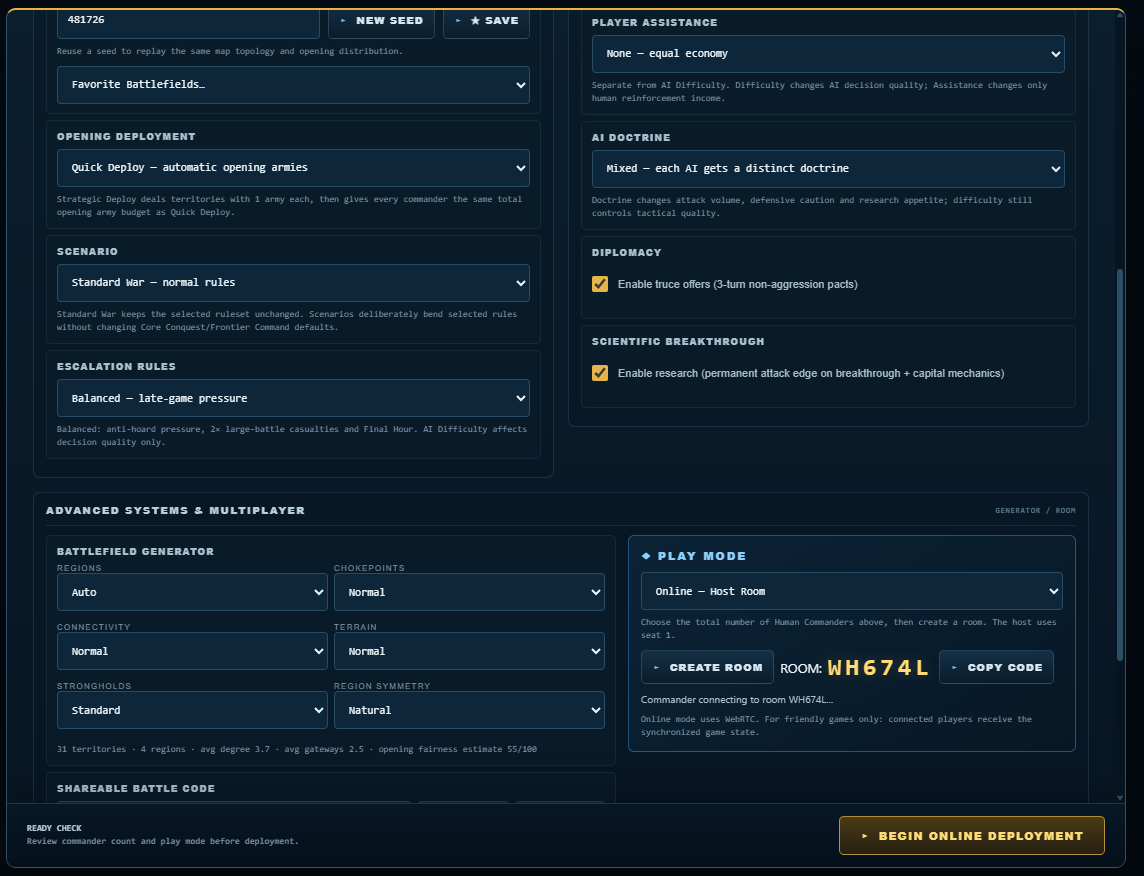
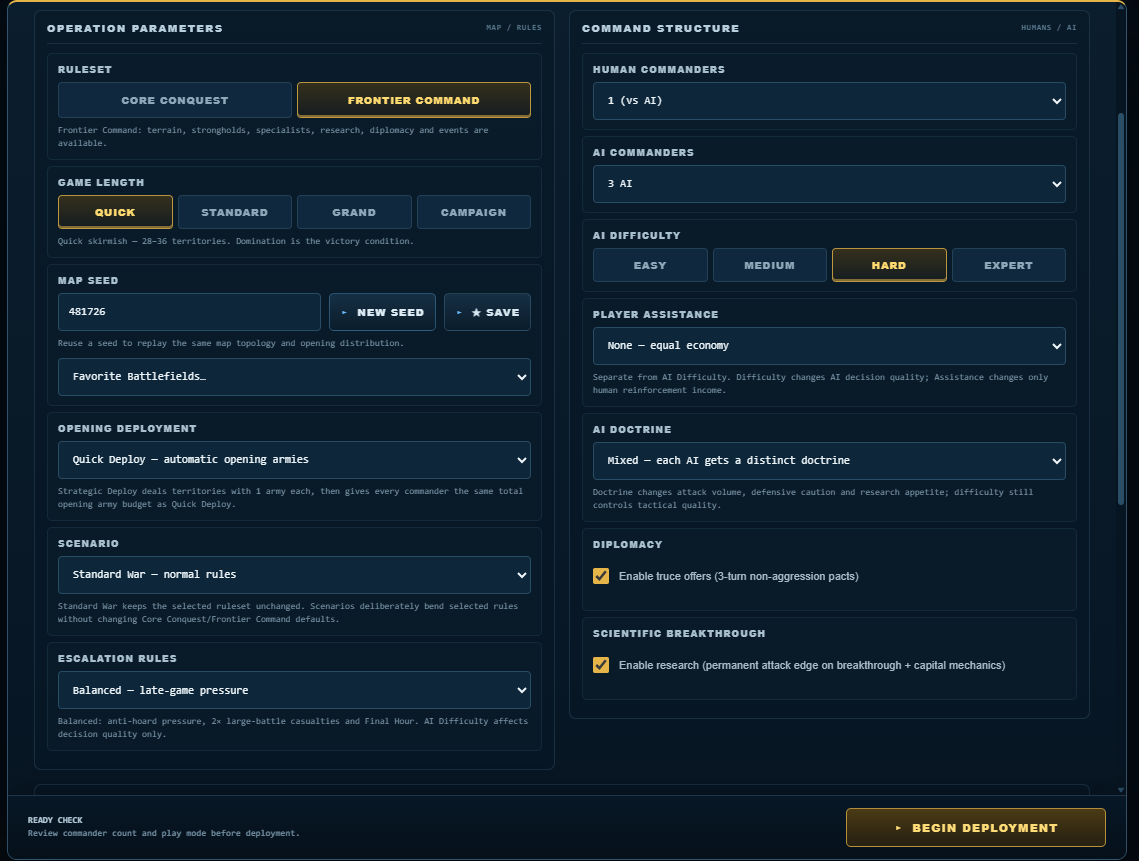
- Choose the rules, map, scenario, game length, AI settings, and other match options.
- Set Human Commanders to 2, 3, or 4.
- Under Play Mode, choose Online - Host Room.
- Click Create Room.
- Send the six-character room code to your friends.
- Wait until all required human seats are connected, then click Begin Online Deployment.
How to Join
- Get the room code from the host.
- Launch this same BORDERFORGE release.
- Choose Online - Join Room.
- Enter the room code and click Join Room.
- Wait for BORDERFORGE to assign your commander seat and for the host to begin.
Online player limit: 2 humans + up to 3 AI, 3 humans + up to 2 AI, or 4 humans + up to 1 AI. Human + AI commanders cannot exceed 5.
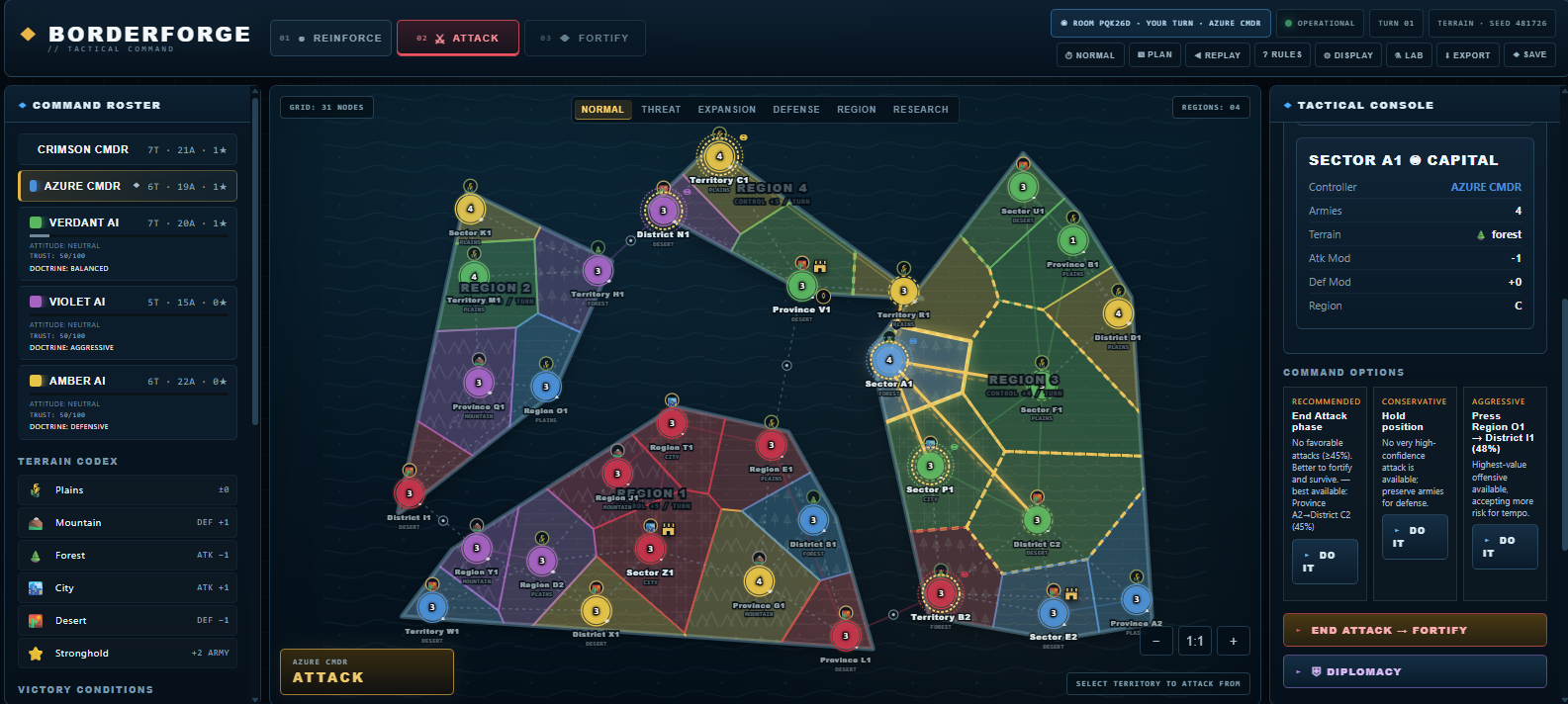
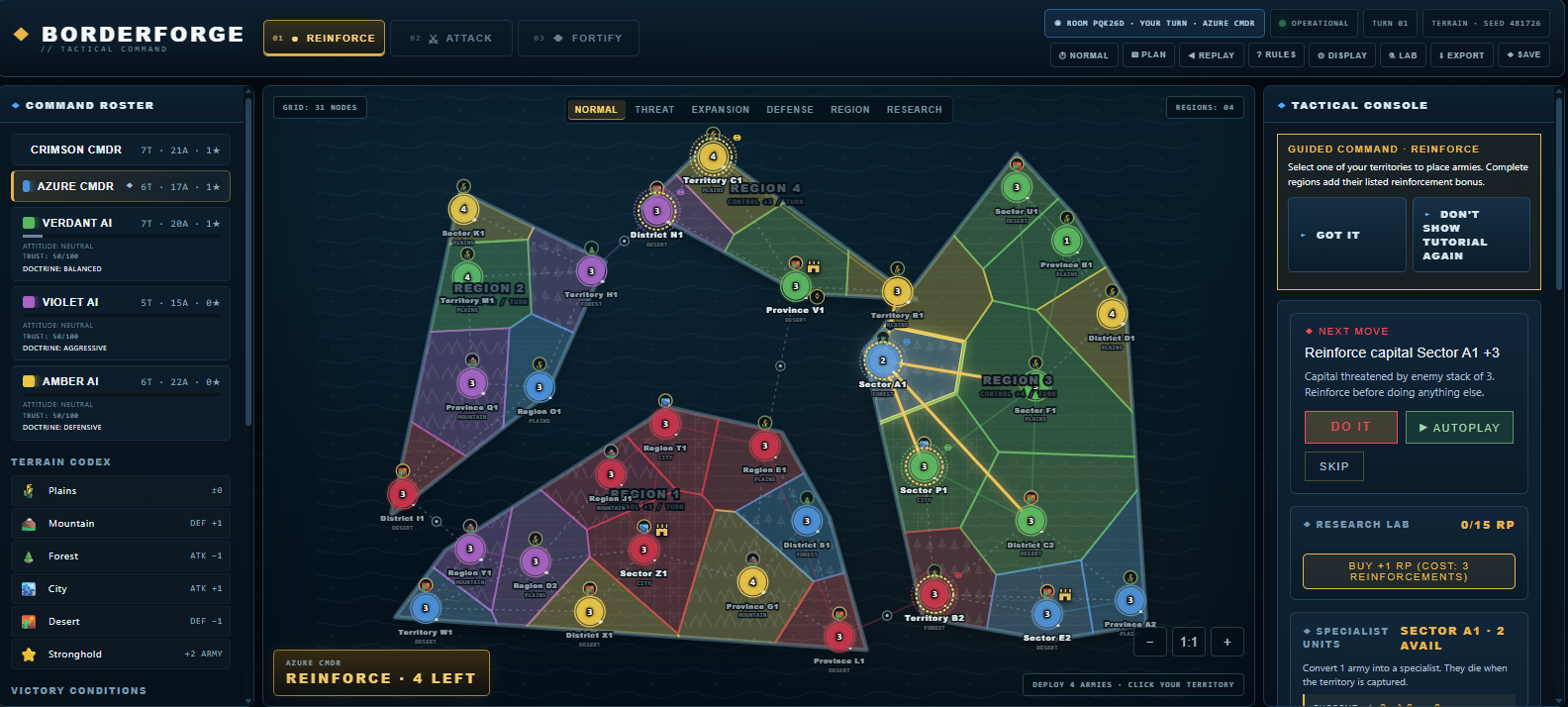
Core Turn Loop
- Reinforce - receive armies, trade cards, research, and prepare specialists.
- Attack - strike adjacent enemy territories and capture ground.
- Fortify - reposition forces through connected friendly territory.
Standard objective: eliminate every rival and become the last commander standing.
Features
- Seeded procedural battlefields with regions, gateways, terrain, and strongholds
- Core Conquest and full Frontier Command rulesets
- Quick, Standard, Grand, and Campaign game lengths
- AI difficulty from Easy through Expert, plus distinct AI doctrines
- Terrain-modified dice combat and combat forecasting
- Research, capitals, permanent Scientific Breakthrough combat bonuses
- Shock Troops, Guerilla Cells, and Siege Engineers
- Cards and escalating trade-in rewards
- Diplomacy and temporary non-aggression pacts
- Strategic events, scenarios, and late-game anti-stalemate escalation
- Local saves, replay/debrief tools, accessibility options, and AI simulation tools
Recommended First Match
- Ruleset: Frontier Command
- Game Length: Quick
- Opening: Quick Deploy
- Scenario: Standard War
- Escalation: Balanced
- Online: 2 Human Commanders, 0-1 AI Commander
- AI: Medium if used
Keyboard Controls
- A - Attack
- F - Fortify
- B - Controlled Blitz
- D - Diplomacy
- ? - Active Rules
- Esc - Cancel current action
- Hold Space - Accelerate AI turns
Online Multiplayer Notes
The current multiplayer system is intended for friendly/private games. The host must keep the game tab open for the match to continue. If a non-host player disconnects, they can normally rejoin using the same room code and browser/device. Restrictive school, corporate, public-Wi-Fi, or cellular networks may interfere with browser-to-browser WebRTC connections.
For the cleanest multiplayer experience, everyone in a room should use the same hosted build of BORDERFORGE.
Documentation
Download the BORDERFORGE Player Manual for complete rules and the Online Multiplayer Quick Start for a short host/join guide.
About
BORDERFORGE is an independent browser strategy game. No affiliation with or endorsement by any board-game publisher.
© 2026 Matthew Snyder. All rights reserved.
Download
Install instructions
BORDERFORGE runs directly in your web browser. No installation is required.
Click Run Game to launch.
For online multiplayer, one player selects Online — Host Room and creates a room code. Other players open this same BORDERFORGE page, select Online — Join Room, and enter that code.
Online games support 2–4 human commanders, with up to 5 total commanders including AI.
A modern desktop browser is recommended. For the best experience, play in fullscreen.
Leave a comment
Log in with itch.io to leave a comment.